Installing Moonbot on a Local Computer
Launching the Moonbot Terminal
To launch the Moonbot terminal, run the MoonBot.exe file from the root directory in administrator mode.
To do this manually, right-click on the file and select Run as administrator.
To enable automatic administrator mode for every launch:
-
Select the MoonBot.exe file and right-click on it
-
Open Properties → Compatibility
-
Check the box Run this program as an administrator
-
Click Apply, then OK.
After enabling this option, Moonbot can be launched with a double-click and will always run with administrative rights.
Running Moonbot in administrator mode gives it priority over system processes, improves synchronization and clock accuracy, and prevents the main price line and tick trades from desynchronizing on the chart.
Time Accuracy Control
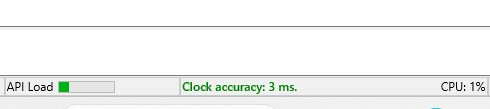
Clock accuracy is considered normal if the deviation does not exceed ±50 milliseconds. If a "Clock accuracy: BAD" message appears in the interface, follow these steps to fix the issue:
-
Restart your computer and router.
-
Check the stability of your internet connection.
-
Ensure that time synchronization and time zone settings are correct.
-
Relaunch Moonbot in administrator modе.
Optimizing Performance on a VDS (Virtual Dedicated Server)
When launching Moonbot on a VDS, follow these steps:
-
Open the terminal menu and go to Menu → System Settings.
-
In the settings window, check the box VDS optimized mode.
-
Restart the terminal in administrator mode.
Enabling VDS Mode optimizes Moonbot’s performance on remote servers.